v1.0.14 • Android Target SDK 36 • Remote Family Alarm

End Morning Wake-Up Battles with Mandatory Selfie Proof

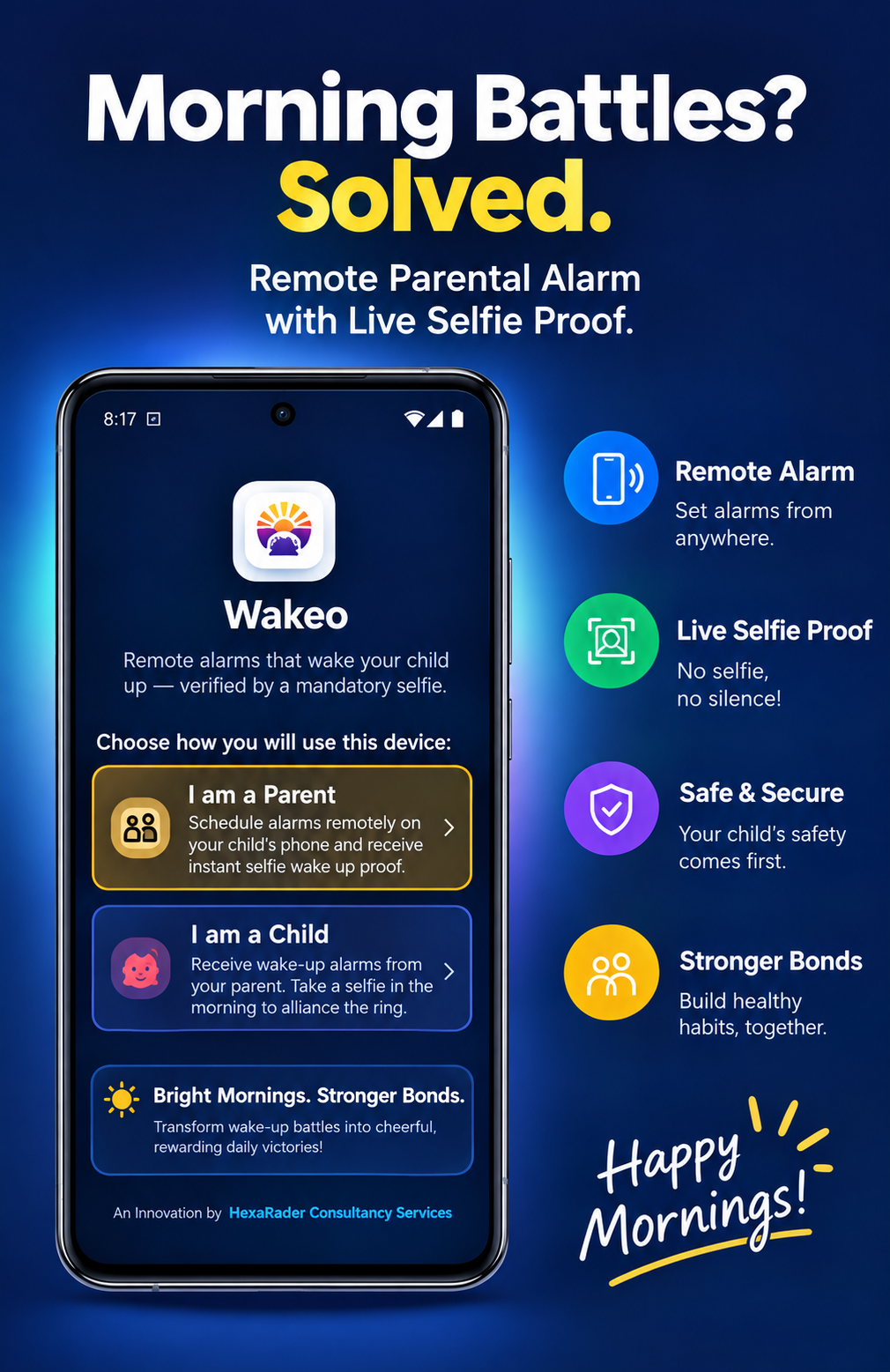
Unlike ordinary alarms children can snooze, silence, or sleep through, Wakeo bridges parents and children through remote scheduling and un-snoozeable wake-up proof. Parents schedule alarms from their phone directly onto their child's device — and ringing only stops when the child snaps a live morning selfie out of bed!

Target SDK 36

Android 16 Optimized

Fail-Safe Engine

Decoupled Audio Silence

100% Private

Encrypted Firebase RBAC

Parent Controller
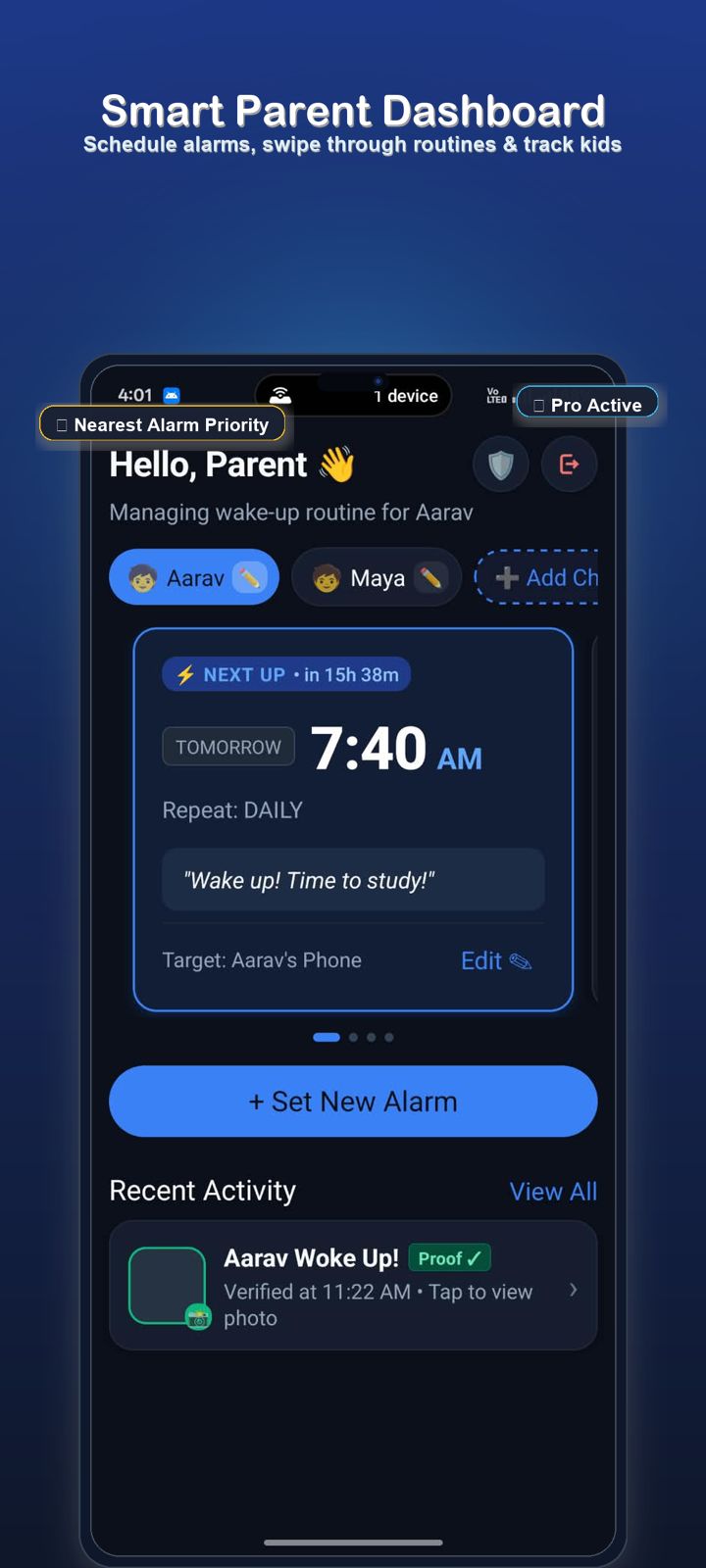
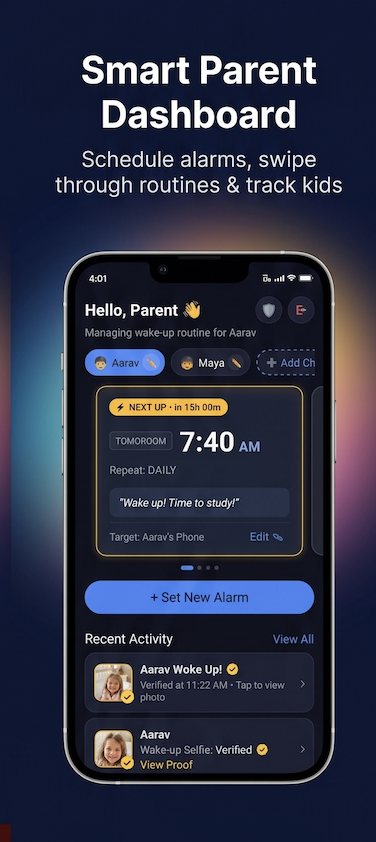
Wakeo Smart Parent Dashboard Screen
Child Ringing & Selfie
Wakeo Child Alarm Ringing Screen

Engineered for Uncompromised Morning Success

Designed by HastRadar Consultancy Services to ensure reliable, stress-free mornings for families worldwide.

Multi-Alarm Swipeable Carousel

Interactive horizontal swipeable card carousel (AlarmCardCarousel) with smooth snapping and adjacent card peek. Highlights the nearest alarm (⚡ NEXT UP) with dynamic relative countdown pills and study notes.

Nearest Alarm Priority

Mandatory Live Selfie Proof

No more hitting snooze and rolling back to sleep. When the alarm rings, the child must open the camera and snap a live selfie to prove they are awake, upright, and out of bed.

Zero Snooze Cheating

Decoupled Fail-Safe Silence

Engineered for zero network lag: alarm audio halts natively on shutter press (stopAlarmAudio()) even with no Wi-Fi. Features 2.5s camera driver resilience and a 3-sun wake challenge fallback.

Offline Fail-Safe

Pierces Doze & Silent Modes

Built with Android Exact Alarm (USE_EXACT_ALARM API 36) and Foreground Media Service to cut through deep sleep, Android Doze mode, and system silent sliders at the scheduled second.

Exact Alarm Precision

Multi-Child Smart Routing

Manage multiple children from a single parent account. Link devices instantly with a 6-digit numeric pairing code. Scheduling locks to each child's ID with real-time name synchronization.

6-Digit PIN Pairing

Subscription & Device Health

Streamlined ⭐ Pro status tracking with bottom-sheet billing manager, paired with bedtime device health monitoring for child battery level, charging status, and alarm permissions.

Pro Tier & Bedtime Health

See Wakeo in Action

Explore how parents and children experience Wakeo from scheduling to verified wake-up selfies.

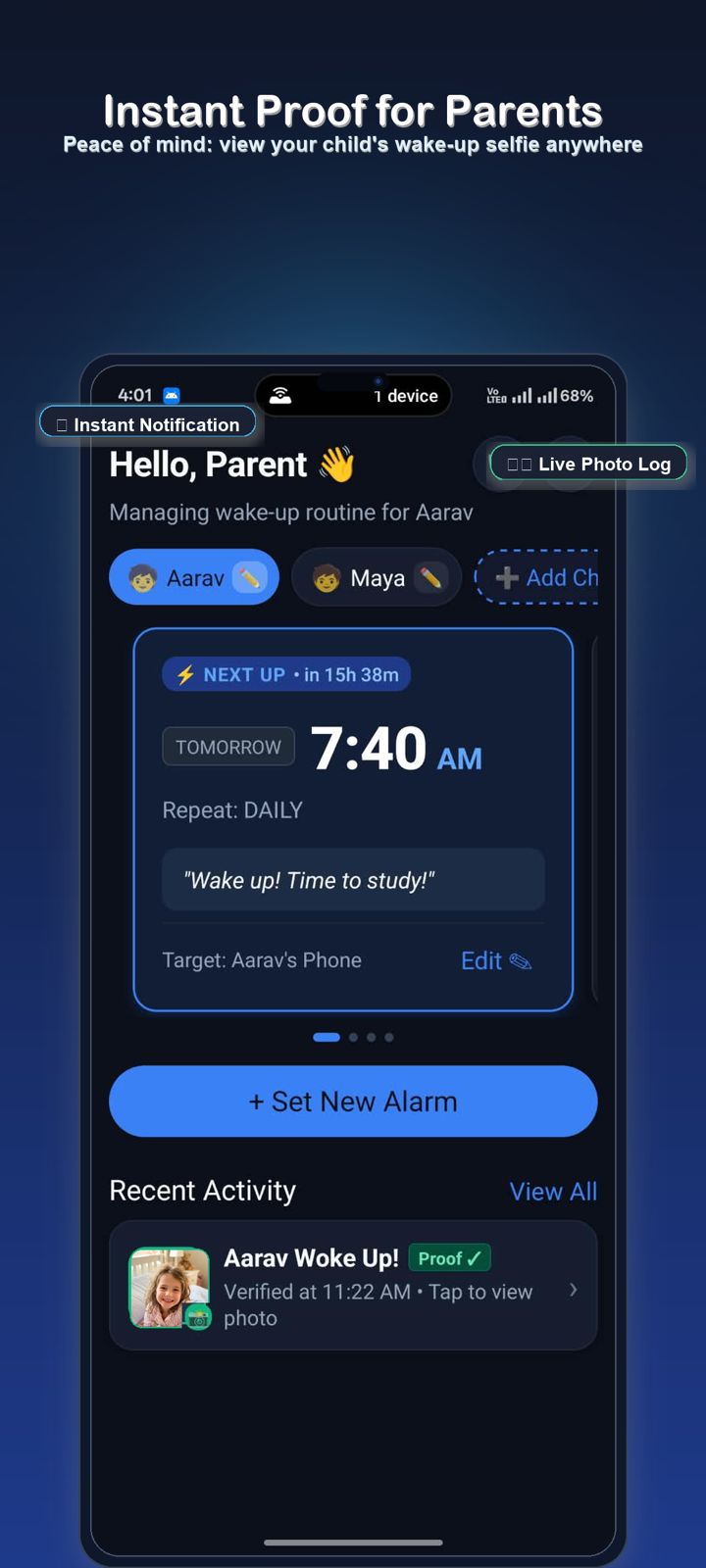
Multi-Alarm Carousel & Nearest Priority

Schedule alarms remotely, swipe through routines with smooth card snapping, and inspect child wake status in real time. Highlights the nearest alarm (⚡ NEXT UP) with dynamic relative countdown pills and notes.

  • Interactive AlarmCardCarousel with smooth snapping & card peek
  • ⚡ NEXT UP priority card with countdown (• in 15h 38m)
  • Multi-child switcher pills (Aarav, Maya, + Add Child)
  • Streamlined ⭐ Pro Active tier pill & live photo activity feed
Wakeo Smart Parent Dashboard Screen

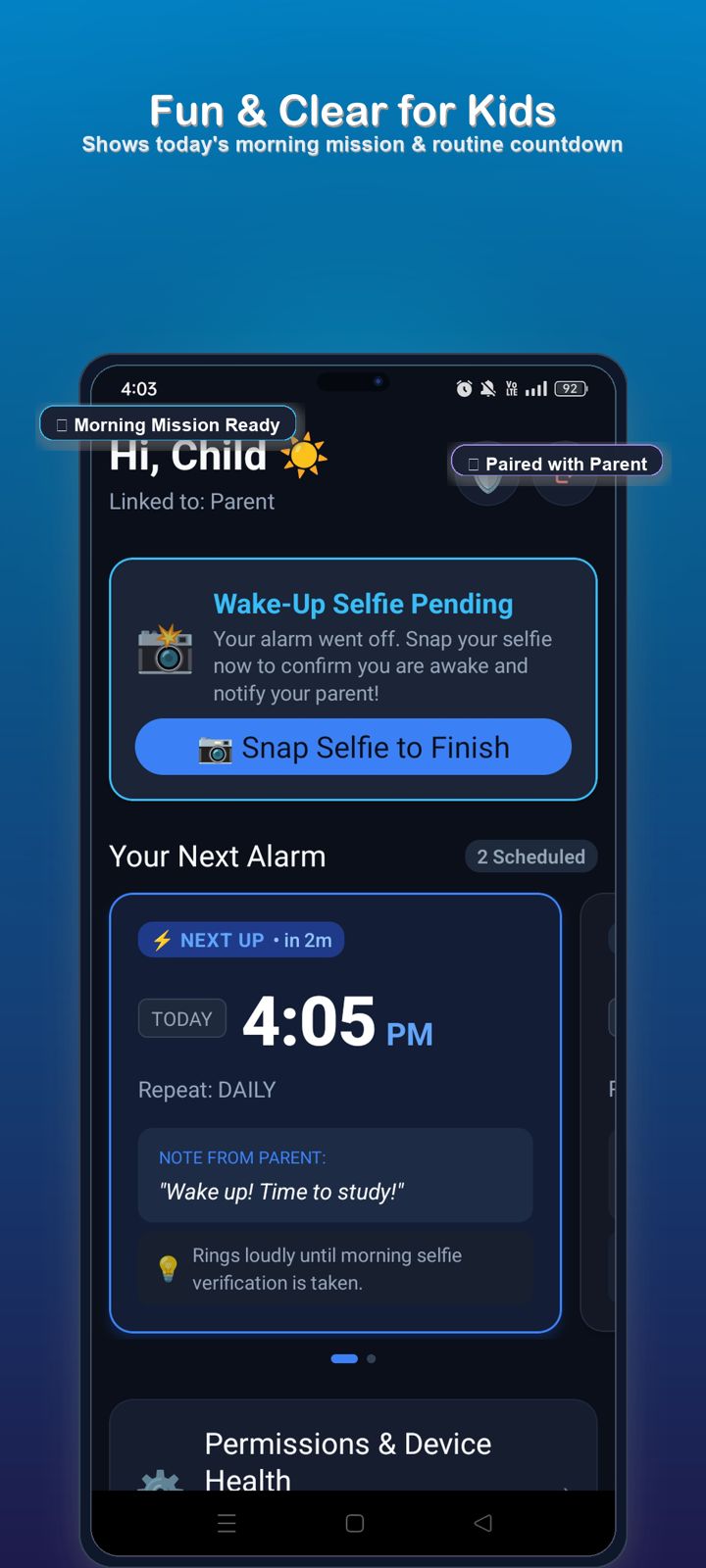
Routine Countdown & Pending Selfie

Children wake up to a friendly, encouraging dark-mode dashboard displaying their personalized greeting, pending wake-up mission, next alarm countdown, and notes from parents.

  • Encouraging greeting (Hi, Child ☀️) with paired parent indicator
  • High-visibility "Wake-Up Selfie Pending" card with 1-tap camera launch
  • Next alarm countdown (• in 2m) with custom parent study notes
  • Bedtime permissions & device health indicator bar
Wakeo Child Dashboard Screen

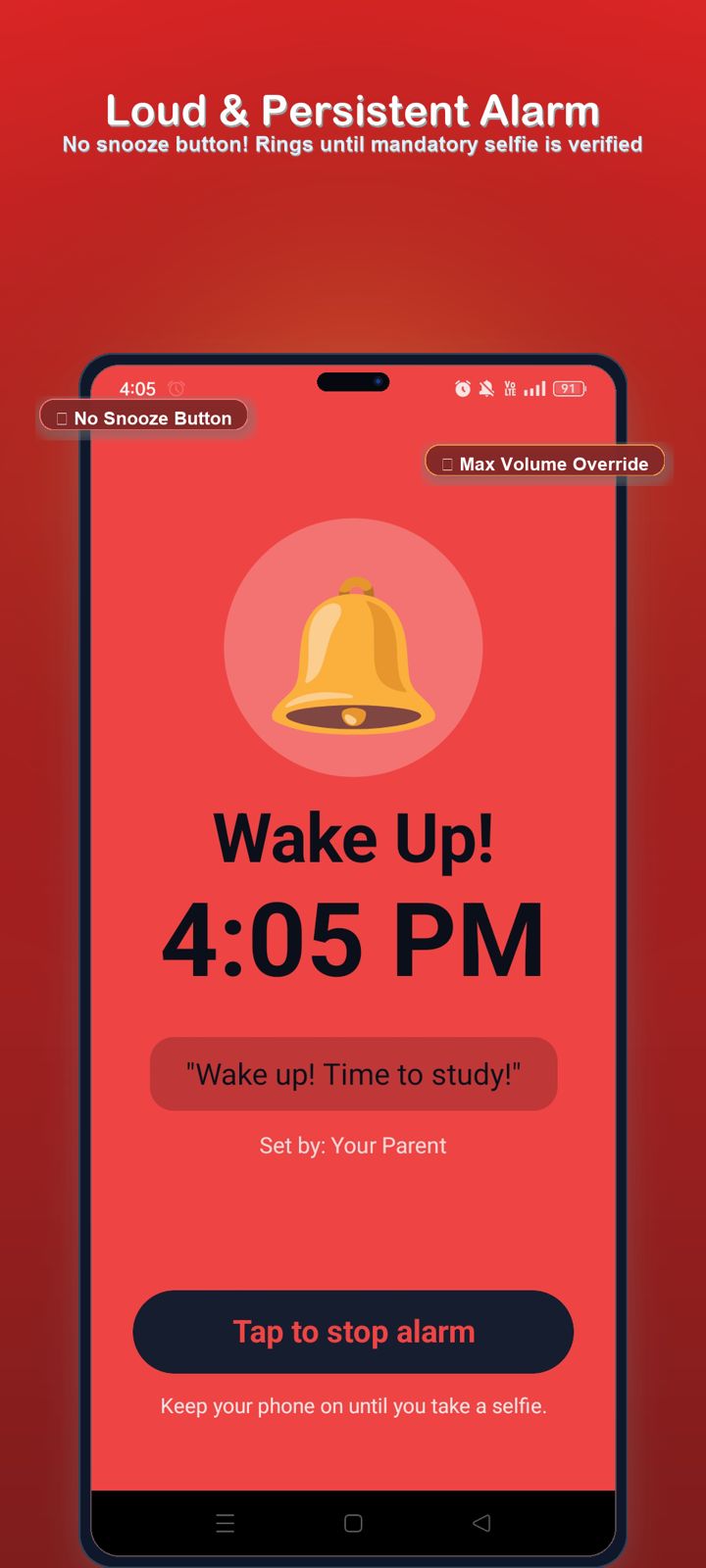
Lockscreen Takeover & Max Volume Override

When the alarm strikes, Wakeo launches full-screen even over locked phones. Looping foreground audio plays at maximum volume and will not stop until the child initiates wake verification.

  • Strict zero-snooze policy — rings until mandatory selfie is verified
  • Built with Android Exact Alarm (API 36) & Media Foreground Audio Service
  • Prominent "Tap to stop alarm" prompts camera selfie or 3-sun challenge
  • Overrides silent volume sliders and Android Doze deep sleep mode
Wakeo Loud & Persistent Alarm Ringing Screen

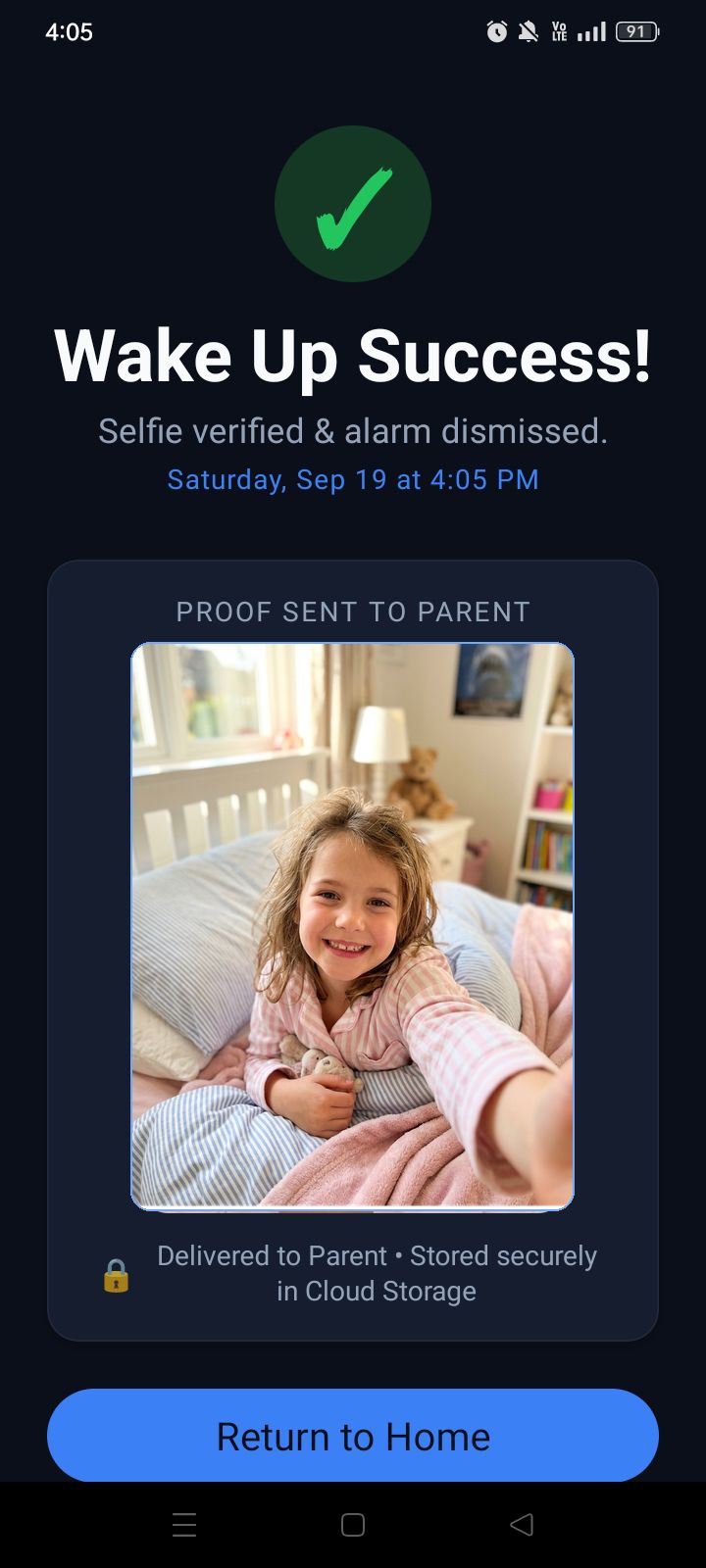
Decoupled Audio Silence & Verified Proof

The instant the child captures their morning selfie, audio is halted locally on the device with zero network lag. The verified photo is encrypted and securely uploaded to private cloud storage.

  • Decoupled audio stop (stopAlarmAudio()) independent of internet status
  • Clear feedback: "Selfie verified & alarm dismissed" with exact timestamp
  • 2.5s camera resilience prevents lock-screen camera driver freezes
  • Encrypted upload to Google Firebase Cloud Storage with strict RBAC rules
Wakeo Wake Up Success Screen

Live Notification & Photo Audit Log

Parents receive instant photographic proof on their device. Inspect the child's smiling morning selfie, exact verification timestamp, and routine history from wherever you are.

  • Real-time notification the instant your child verifies their wake-up
  • Live recent activity card with expandable smiling photo proof
  • Tamper-evident timestamp: verified time logged against scheduled time
  • Multi-child selector allows toggling between sibling routines in 1 tap
Wakeo Instant Proof for Parents Screen

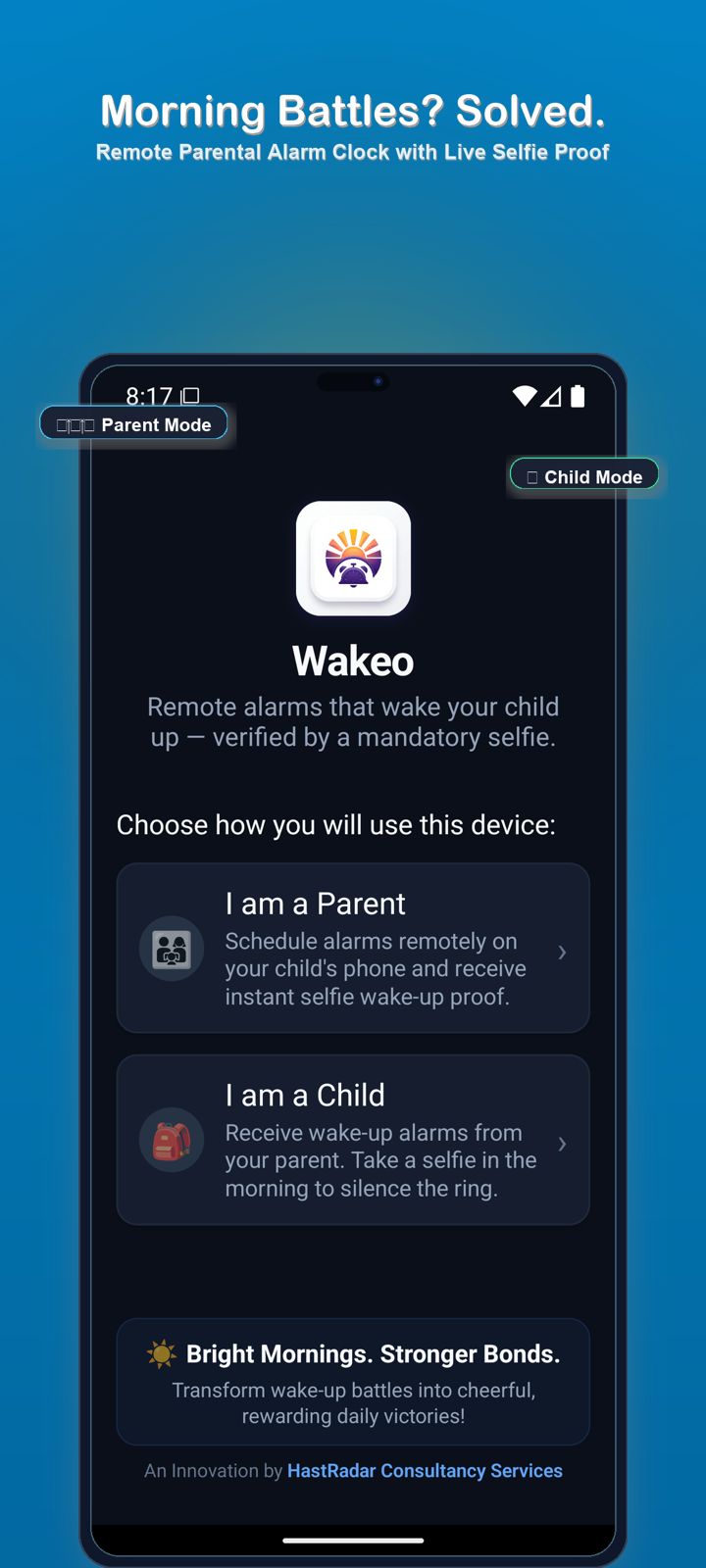
Parent Mode vs Child Mode Pairing

Setting up family devices takes seconds. Choose Parent Mode to remotely schedule alarms and inspect selfie proof, or Child Mode to receive alarms and complete morning missions.

  • Clear role selection: Parent Controller vs Child Companion Device
  • Simple 6-digit numeric pairing PIN links smartphones in real time
  • Universal phone authentication with Google Play SIM auto-detection
  • Child names instantly synchronize across Firestore to greet each child
Wakeo Role Selection & Welcome Screen

How Wakeo Works in 3 Simple Steps

A synchronized, unshakeable wake-up system that turns morning resistance into rewarding daily victories.

01

1. Parent Sets the Alarm

From the comfort of your own smartphone, configure wake-up times, repeat schedules, and custom notes. Changes sync in real-time onto your child's phone.

02

2. Un-Snoozeable Ringing

At the scheduled minute, the alarm launches full-screen and plays un-dismissible audio piercing through Android Doze and system silent settings.

03

3. Selfie Proof Silences Alarm

The child snaps a live morning selfie out of bed or solves the 3-sun challenge. Audio stops instantly, and verified proof syncs to the parent dashboard!

Frequently Asked Questions

Answers to common questions about Wakeo's features, safety, and privacy.

Wakeo is engineered with a decoupled audio silencing architecture. The alarm audio is silenced natively and immediately on the local device the instant the child snaps their selfie or solves the morning wake challenge. The photo and verification timestamp are queued locally and uploaded to the parent dashboard the moment internet connectivity is restored.
No. Wakeo deliberately omits traditional snooze buttons. The ringing screen remains active over the lock screen until the child proves they are awake and out of bed by snapping a front-facing selfie or completing the 3-sun morning wake challenge.
All selfie photos are transmitted over encrypted TLS connections and stored in private Google Firebase Cloud Storage protected by strict Role-Based Access Control (RBAC). Photos are accessible solely to paired parents on their private dashboard. We never conduct facial biometric recognition, never share data with advertisers, and comply strictly with COPPA, GDPR, and India's DPDP Act 2023. Read our Privacy Policy for complete details.
Yes! Wakeo features a built-in Multi-Child Switcher. Parents can link multiple child phones using individual 6-digit numeric pairing codes. You can customize each child's name, set independent schedules, and switch between child dashboards with a single tap.
Wakeo targets Android 16 (API 36). Modern Android versions place idle phones into battery-saving "Doze" mode which silences ordinary background timers. The Exact Alarm permission (USE_EXACT_ALARM) and Media Playback Foreground Service allow Wakeo to wake the screen and trigger loud, un-dismissible alarm audio precisely at the scheduled second.
You have complete control over your data. You can delete your account, paired child profiles, and all associated selfie photos directly within the app settings. Alternatively, you can submit a deletion request via our Account Deletion Page or email support@hastradar.com.

Enterprise Cloud Security

Google Firebase cloud infrastructure with end-to-end TLS encryption and strict Role-Based Access Control.

Zero Ads & No Data Brokering

100% ad-free environment. We never sell, rent, or monetize your family's personal photos or phone numbers.

Family & Child Safe Standards

Fully compliant with Google Play Families Policy, COPPA, DPDP Act 2023, and GDPR child safety frameworks.

Ready to Make Morning Wake-Ups Effortless?

Join parents who have replaced morning arguments with cheerful, verified daily victories with Wakeo.

Contact Support